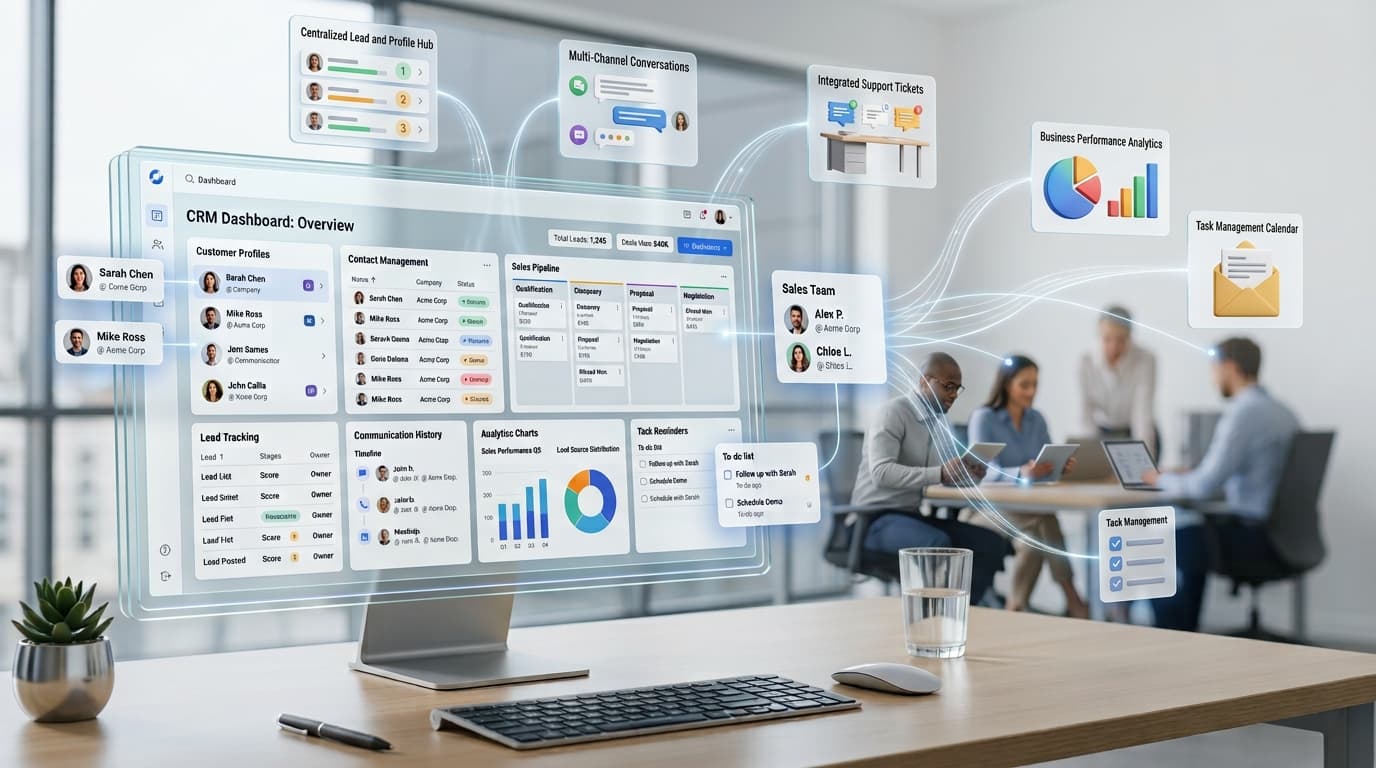
If you have ever lost track of a client email, forgotten to follow up with a lead, or watched a sales deal slip through the cracks because nobody wrote it down, you already understand the problem CRM software was built to solve. CRM stands for customer relationship management, and CRM software is the technology companies use to organize, track, and nurture every interaction they have with prospects and customers in one central place.
In simple terms, a CRM system replaces scattered spreadsheets, sticky notes, and inbox searches with a single source of truth. Instead of asking “where did we leave off with this client,” your team opens one dashboard and sees the full history: calls made, emails sent, deals in progress, and support tickets resolved.
How Does CRM Software Actually Work?

At its core, a customer relationship management platform pulls contact details, communication history, purchase records, and notes into one shared database. Every team member, from sales to marketing to customer support, works from the same information instead of duplicating effort.
Most CRM platforms sync with your email inbox, phone system, and website forms so that new leads flow in automatically. From there, the software organizes contacts into pipelines, assigns follow-up tasks, and sends reminders so nothing gets missed. Some tools also use automation and light AI features to score leads, suggest the next best action, or flag accounts that are going quiet.
Key Features to Look For
Not every CRM tool looks the same, but most reliable platforms share a handful of core capabilities:
- Contact and lead management – a searchable database of every prospect and customer, complete with interaction history.
- Sales pipeline tracking – a visual view of where each deal sits, from first contact to closed sale.
- Task and reminder automation – scheduled follow-ups so leads never go cold.
- Reporting and analytics – dashboards that show conversion rates, revenue forecasts, and team performance.
- Integrations – connections to email, calendars, marketing tools, and billing systems.
Smaller businesses sometimes only need a fraction of these features, while enterprise teams rely on the full suite to manage complex, multi-stage sales cycles across departments.
Types of CRM Software
There are generally three categories of customer relationship management tools:
Operational CRM focuses on day-to-day tasks like managing contacts, tracking deals, and automating follow-ups. This is the type most small and mid-sized businesses start with.
Analytical CRM digs into customer data to uncover buying patterns, predict churn, and guide marketing decisions. It’s less about daily tasks and more about long-term strategy.
Collaborative CRM connects departments so that sales, marketing, and support share updated customer records in real time, which is especially useful for companies where a single customer touches multiple teams.
Why Businesses Rely on CRM Systems
The biggest reason companies adopt customer relationship management software is simple: it prevents lost revenue. When follow-ups happen on schedule and no lead falls through the cracks, close rates naturally improve.
A good CRM platform also shortens onboarding for new hires. Instead of asking a departing employee to hand over notes and contacts, everything already lives in the shared system. Managers get a clear view of pipeline health without chasing individual reps for updates, and customer support teams can pull up a full history the moment a client reaches out, which leads to faster, more personal service.
There’s also a retention angle that often gets overlooked. Many businesses run on repeat purchases, contracts, or subscriptions, and a CRM tool that flags upcoming renewals or contract end dates helps account managers reach out before a customer lapses rather than after. Pairing your CRM with a dedicated renewal and subscription tracker, such as Renew Reminder, gives revenue teams an extra layer of protection so no recurring contract, license, or subscription quietly expires unnoticed. It’s available on both Android and iOS, which makes it easy to keep renewal dates visible whether you’re at a desk or on the move.
CRM Software vs. Spreadsheets: Why Upgrade?

Spreadsheets can technically hold customer data, but they were never designed for relationship management. There’s no automatic reminder system, no shared real-time updates, and no easy way to see a pipeline at a glance. As soon as more than one or two people touch the same sheet, version conflicts and outdated entries become the norm.
A dedicated CRM platform removes that friction. Updates happen live, permissions control who sees what, and automation handles the repetitive parts of follow-up that spreadsheets simply cannot manage.
Who Actually Needs CRM Software?
Any business with recurring customer contact benefits from a CRM tool, but it’s especially valuable for sales teams juggling multiple leads, agencies managing several client accounts, subscription-based businesses tracking renewals, and support teams handling repeat customer questions. Even solo founders often adopt a lightweight CRM once their contact list grows past what memory or a notes app can reasonably handle.
How to Choose the Right CRM Platform
Before picking a system, list the problems you’re actually trying to solve. Some teams need heavy sales pipeline tracking, while others care more about customer support history or marketing automation. Consider your budget, how well the tool integrates with software you already use, and how steep the learning curve is for your team. Free trials are common in this category, so testing two or three platforms with real data before committing is a smart move.
Frequently Asked Questions
What does CRM software stand for? CRM stands for customer relationship management. The software refers to any digital tool built to organize customer data, track sales, and manage ongoing relationships.
Is CRM software only for sales teams? No. While sales teams are the most common users, marketing, customer support, and account management departments all use CRM systems to track interactions and improve service.
Can small businesses benefit from CRM software? Yes. Even a small contact list benefits from automated reminders and organized records, and many CRM platforms offer affordable plans built specifically for small teams.
How is CRM software different from email marketing tools? Email marketing software focuses on sending campaigns, while CRM software manages the full relationship, including calls, deals, support tickets, and renewal dates, not just email outreach.
Does CRM software help with customer retention? Yes. By tracking renewal dates, purchase history, and communication gaps, a CRM system helps teams reach out before a customer disengages rather than after.
Final Thoughts
Customer relationship management software has become a foundational tool for any business that wants to grow without losing track of the people who keep it running. Whether you’re managing a small client list or a full sales team, moving from scattered notes to a structured CRM system pays off in stronger relationships, better forecasting, and fewer missed opportunities. Pair it with the right renewal-tracking habits, and you’ll close the loop between winning a customer and keeping them.