If you need secure, fast access to a virtual desktop, the first step is always a proper VMware Horizon Client download. This guide covers how to get the client safely, which version fits your device, and how to avoid the mistakes that trip up first-time users. Whether you’re an IT admin rolling this out to a team or an employee setting up remote access for the first time, here’s everything you need.
What Is VMware Horizon Client?

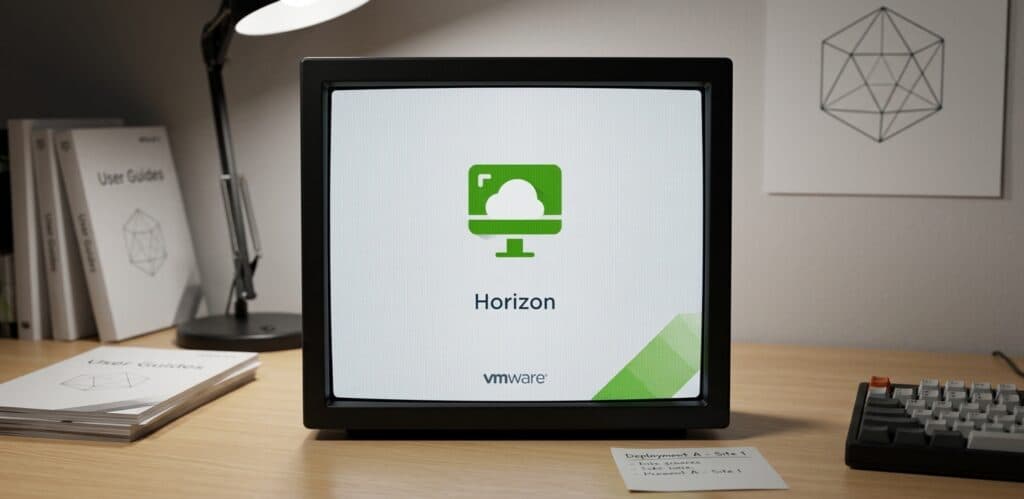
VMware Horizon Client is the software that connects you to a virtual desktop or published application hosted on a company’s Horizon infrastructure. Instead of installing every business app on your personal laptop, the client streams a full desktop session — or a single app — from a secure data center to your screen. Note that VMware’s end-user computing line, including Horizon, has been spun out and is now developed under the Omnissa brand, though many portals still use the original name. Whichever branding you see, the VMware Horizon Client download process and daily experience stay familiar.
A proper download gives you access to display protocols like Blast Extreme and PCoIP, engineered to stay responsive even on average home broadband — smoother video, better audio sync, and less lag than a generic remote desktop tool.
Download From an Official Source Only
Searching “VMware Horizon Client download” surfaces plenty of third-party mirrors. Some are safe, but many bundle extra toolbars, outdated builds, or tampered installers. Since this client handles credentials tied to sensitive corporate systems, start your VMware Horizon Client download from your organization’s IT portal or Omnissa’s official downloads page. If your employer hasn’t shared a direct link, ask your helpdesk before pulling an installer from a random search result.
Choosing the Right Version
Picking the wrong build is a common snag during a Horizon Client download. Quick breakdown:
- Windows: Supports 64-bit and 32-bit systems; 64-bit is recommended for Windows 10/11. This is the most common VMware Horizon Client download among corporate users.
- macOS: Needs the dedicated .dmg installer, supporting both Intel and Apple Silicon on recent builds.
- Linux: Available as .tar.gz, or through package repositories on some distros.
- iOS and Android: Mobile clients are on the Apple App Store and Google Play Store, letting you launch a session from a phone or tablet.
- HTML Access: Many deployments support a browser-based session, so no client download is required at all.
Matching the installer to your exact OS avoids compatibility errors and cuts support tickets — important when deploying across a whole department.
Step-by-Step: Download and Install
- Get your connection details first. Before starting the VMware Horizon Client download, ask IT for your Connection Server address (e.g., remote.yourcompany.com).
- Go to the official download page. Select your operating system from your company portal or Omnissa’s site.
- Run the installer. On Windows, double-click the .exe and accept the license agreement. On Mac, open the .dmg and drag the app into Applications.
- Launch and add your server. Enter the Connection Server address, then log in with your credentials and any required multi-factor authentication.
- Select your desktop or app pool. Click to launch your assigned resource, and the session begins.
- Adjust display and USB settings. Multi-monitor layouts, resolution scaling, and peripheral redirection can be configured after your first successful connection.
Getting credentials ready before you install is the biggest factor separating a smooth setup from a frustrating one.
Common Issues After Downloading the Client

Even a clean VMware Horizon Client download can hit snags. A “server not found” error usually means a typo in the address or a disconnected VPN. Black screens are often fixed by switching from PCoIP to Blast Extreme in connection settings. If audio doesn’t sync, confirm Real-Time Audio-Video is enabled and your firewall isn’t blocking required ports. Most issues trace back to configuration, not the download itself, so reinstalling rarely helps — checking network settings usually does.
Keeping Software and Subscriptions Organized
IT teams juggle more than client installers — license renewals, support contracts, and software subscriptions all have expiration dates that are easy to lose track of. A dedicated subscription tracker can help. Renew Reminder keeps every subscription, license, and renewal date in one place and alerts you before anything lapses. It’s available on Google Play and the App Store, so once your VMware Horizon Client download and setup are done, you have an easy way to manage everything else in your software stack.
Frequently Asked Questions
Is the VMware Horizon Client download free? Yes. The client is free to download and install. You separately need a valid Horizon environment and user entitlement from your organization, since the client can’t connect to anything on its own.
Do I need admin rights to install it? On most Windows machines, yes — unless IT pushes it through a managed deployment tool. Mac and mobile installs typically don’t need elevated privileges.
Can I use Horizon without installing anything? Yes. Many deployments support HTML Access through a browser. It’s more limited (no USB redirection, for example) but works well for quick sessions on shared computers.
Why does my download show as “Omnissa Horizon”? Omnissa now owns and develops the Horizon product line after its separation from VMware and Broadcom. The VMware Horizon Client download process and software work the same way; only the branding changed.
How do I know which version to download? Check with IT, since Connection Servers are sometimes only compatible with specific client versions. The newest build usually works, but confirming first avoids connection errors.
Is it safe to download from a third-party site? It’s best avoided. Stick to your company’s portal or Omnissa’s official downloads page to ensure you get an unmodified, current VMware Horizon Client download.
Final Thoughts
A successful VMware Horizon Client download comes down to three things: pulling the file from a trustworthy source, choosing the correct build, and having your connection details ready before you start. Once installed, the client is largely maintenance-free. And once your work software is squared away, tools like Renew Reminder make it easy to keep every other subscription and renewal on your radar too.