Get Started

Analytics & Insights · Warn

Spot what's
creeping up on you.

A dashboard built to be read correctly: an honest monthly average, what is still to charge this month, what actually cleared the bank, where it goes — and a check-in that asks whether you still use the thing before it renews again.

The number is easy.
Reading it right is the work.

Every subscription app shows a total. The ones people trust are the ones that say what the total is not — not this month's bill, not your whole statement, not counting the savings. Every card here carries that sentence, so the figure you act on is the figure you think it is.

01

One monthly number, with the yearly plans folded in.

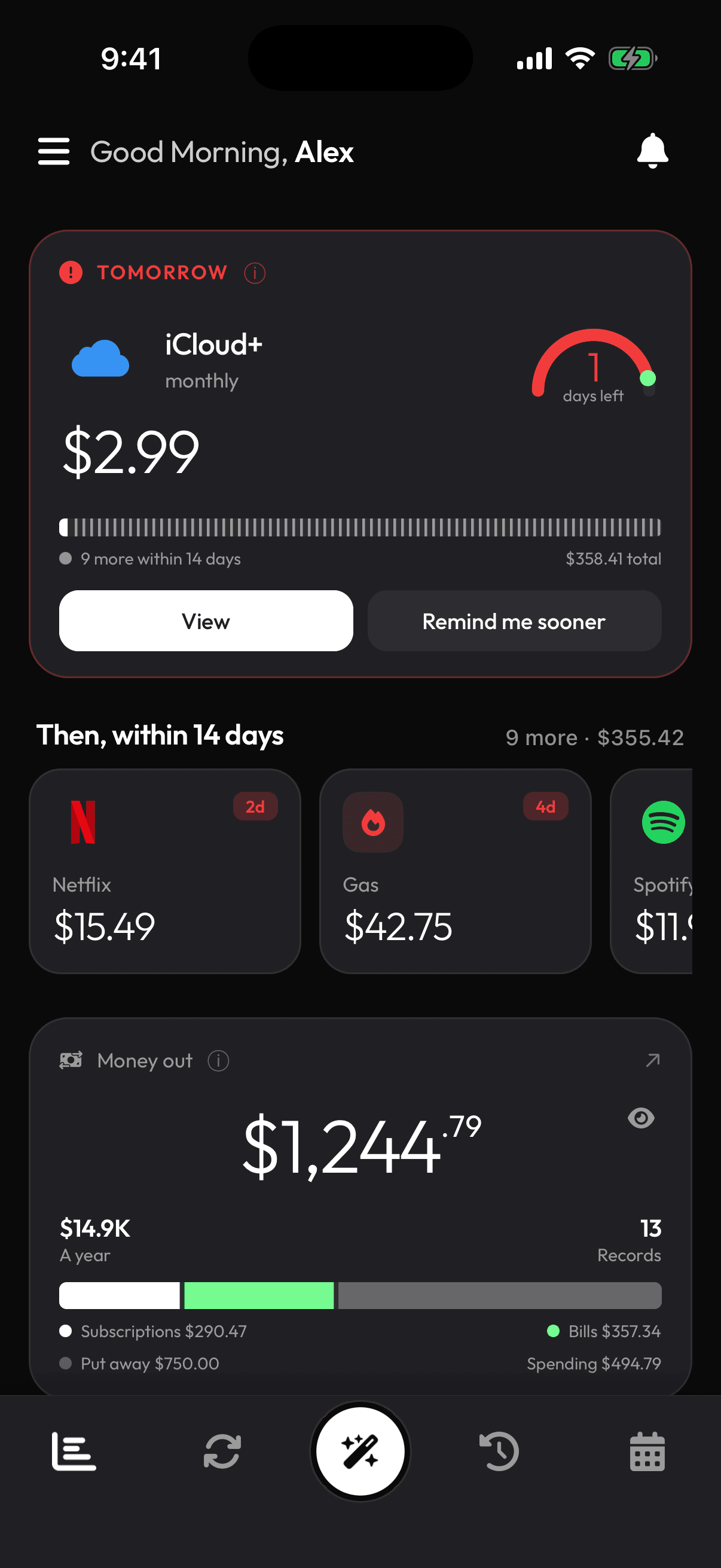
Everything you pay for, brought to a monthly figure — yearly plans divided by twelve, weekly ones multiplied up — so the $120 annual renewal shows as the $10 a month it really is. It is an average, and the card says so, because an average is the number you can actually budget against.

  • Yearly, quarterly and weekly cycles normalised to a month
  • Savings and deposits counted, but shown apart — never as a cost
  • Your share only, when a subscription is split
The Monthly spend card
02

What is still to come, not what already went.

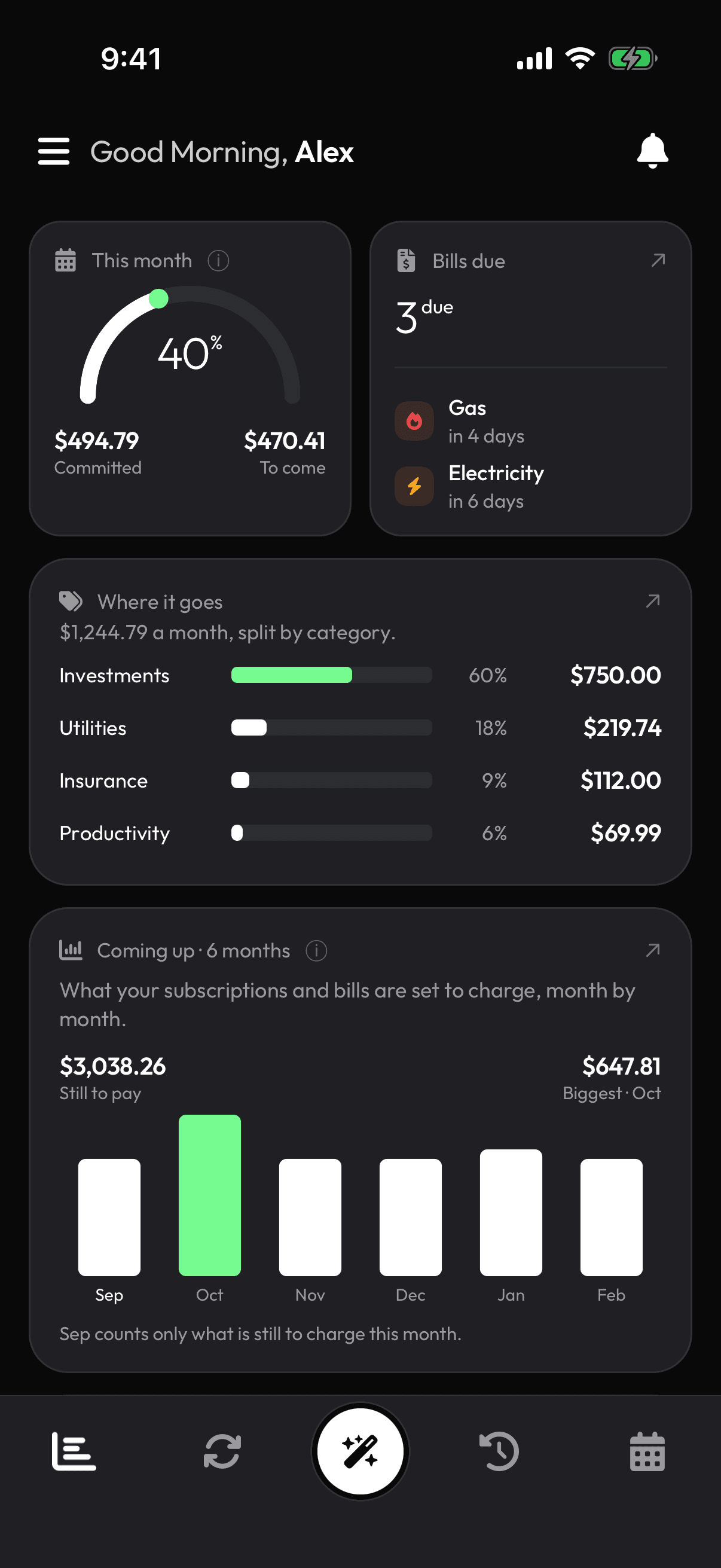
This month's arc shows how far through the month you are. Coming up shows, month by month, the money you have not spent yet — which is why this month's bar is short when you are on the 25th. It is the difference between a report and a warning.

  • This month: progress through the month, not spend
  • Coming up: unspent charges by month, looking forward
  • The soonest charge and its countdown always on top
This month and Coming up
03

What actually cleared, from the bank itself.

With a bank connected, Spent so far counts the subscription charges that really left your account this month — not what you are signed up for, what was taken. Only recurring-style payments count, so it is never your whole statement, and it says so on the card.

Needs a connected bankCleared charges only

How bank connection works →

Spent so far, from cleared transactions
04

Where it goes, and what you stopped using.

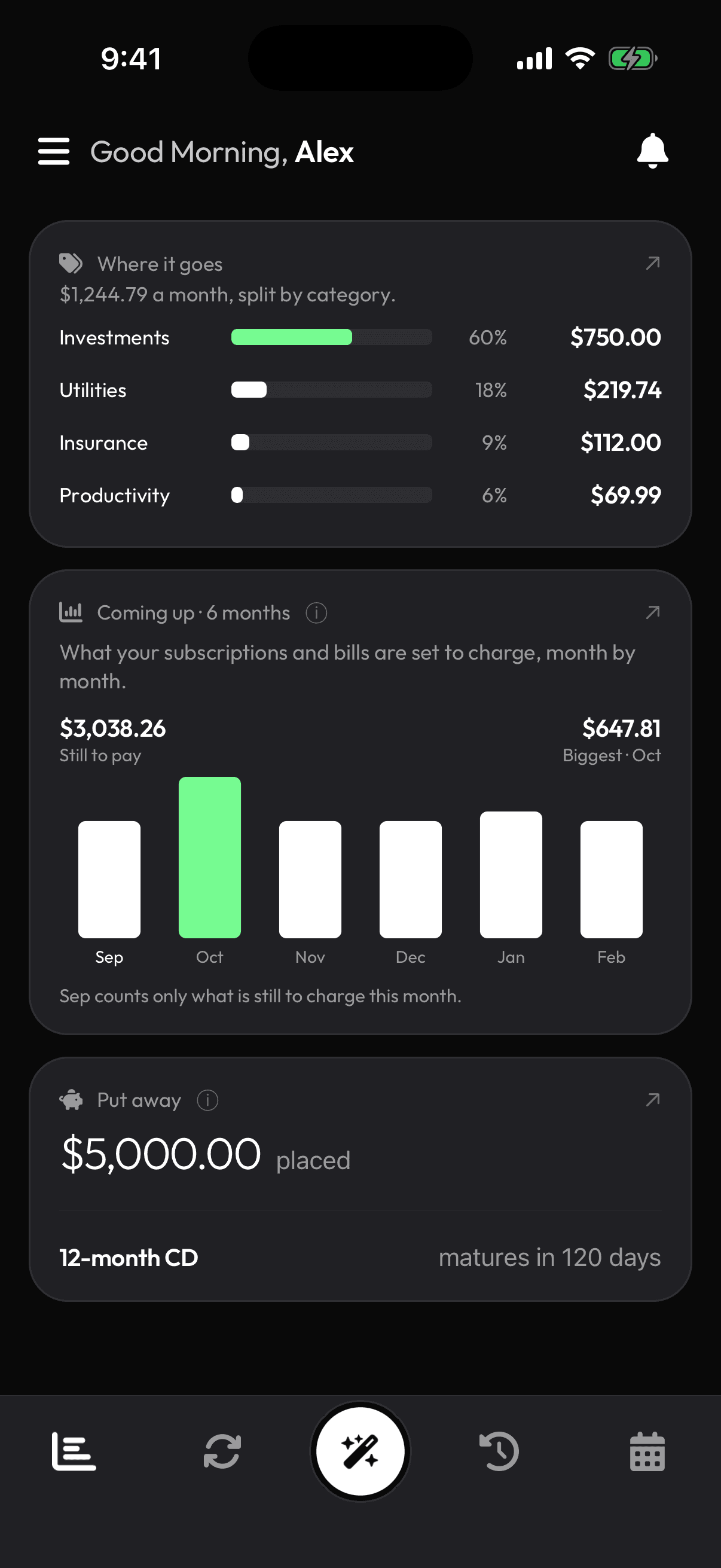
A breakdown by category shows the shape of it — streaming, software, insurance, the gym. And every so often the app asks the only question that saves money: are you still using this one? Say no and it is flagged; say stop asking and it never brings that one up again.

  • Spend by category, your own categories included
  • Usage check-ins that remember your answer
  • Trials counted separately so a free month never inflates the total
Where it goes, and a usage check-in

Built to be read

The orbit, on mobile.

The phone's dashboard opens on a dial marked TODAY with your subscriptions circling it by how soon they land. The near ones are the ones about to charge.

Every number explains itself.

Each card carries a one-line note naming the thing it is most often mistaken for — “an average, not this month's bill”, “cleared charges, not your whole statement”. No figure on the dashboard is left to be misread.

One currency, no conversion.

You track in your own currency and the totals add up what is there. Nothing is converted at a rate that was true last Tuesday.

Got Questions

FAQ

Warn

Find out what you actually pay a month

Add what you know about or connect a bank, and the first honest monthly figure is on the dashboard within minutes. The check-ins start from there.

Start 7-day free trial

7-day free trial · Cancel anytime · iOS, iPad and Android

Get it on Google PlayDownload on the App Store